OSINT · Workflow
How to Investigate Any Domain: A Practical OSINT Workflow (2026)
⚡ Key OSINT Workflow Takeaways
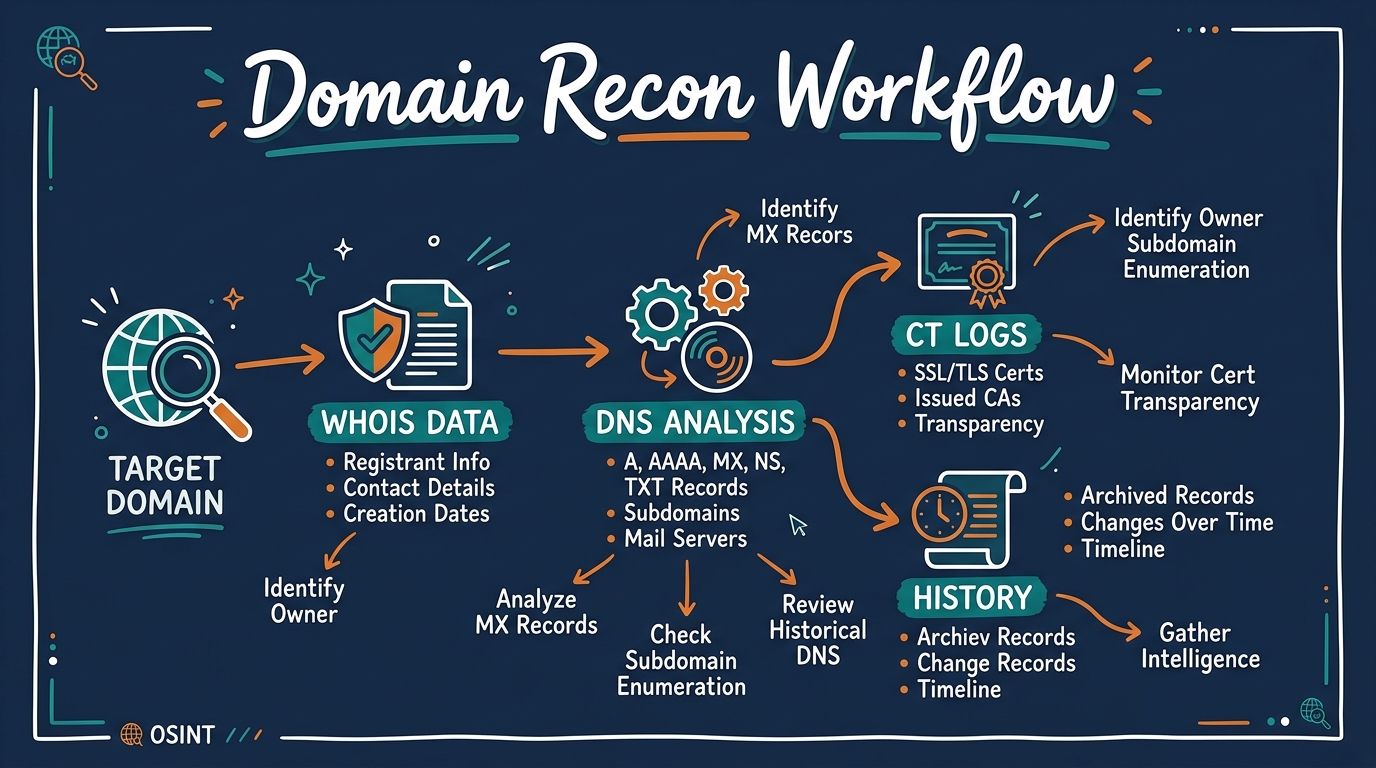
Objective
Build a comprehensive infrastructure, ownership, and history profile of any domain name.
Techniques
WHOIS, passive DNS, Certificate Transparency logs, Web archiving, Google Dorking, Tracking ID correlation.
Critical Target Indicators
Domain registration age, mail posture (SPF/DKIM/DMARC), exposed development subdomains, shared analytics IDs.
OPSEC & Legal Bounds
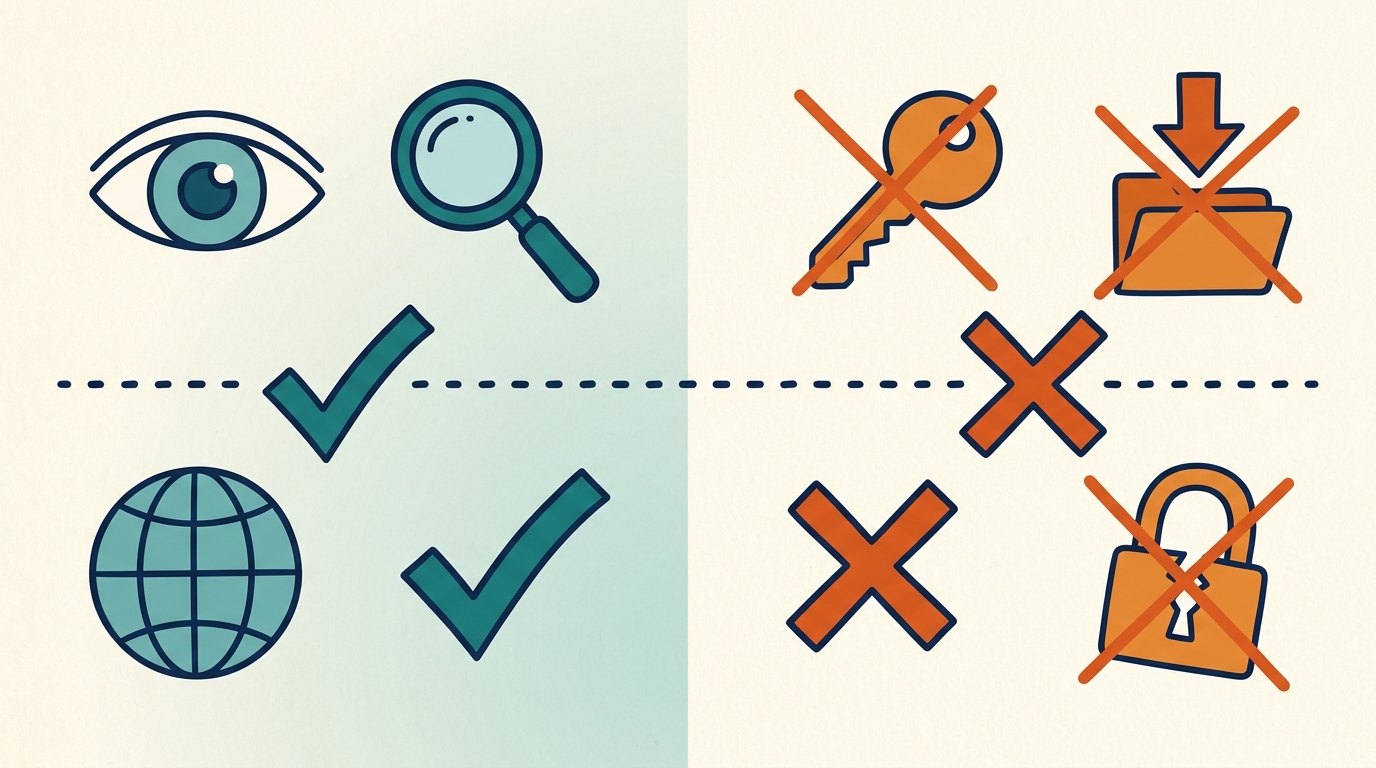
Use attribution-free lookups. Observe public assets; do not exploit misconfigurations or exfiltrate private data.
⚠ Legal notice
This workflow relies entirely on passive reconnaissance of publicly available data. Finding misconfigurations or exposed resources is legal to observe, but unauthorized credential use or data exfiltration violates cyber laws. Always secure written authorization before starting active security tests.
Type a domain name into a browser and you get a website. Run the right checks against that same domain and you get something else entirely: who owns it, where it's hosted, what email infrastructure sits behind it, which subdomains were never supposed to be public, and sometimes what it looked like before someone quietly tried to clean it up.
I'm not going to walk you through fifty tools and call it a day. What actually matters is the order you check things in, because each result tells you what to look at next. That sequence is the difference between a useful domain investigation and an afternoon of randomly poking at WHOIS records.
This is the same recon methodology I'd run for bug bounty reconnaissance, SOC triage, or a threat-intel workup, laid out step by step, with a worked example and the OPSEC and legal boundaries most guides conveniently skip.
What Domain Investigation Actually Tells You
Domain OSINT is building a profile of a domain using only publicly available data. No exploitation, no unauthorized access, just careful reading of what's already exposed.
It matters because attack surfaces are rarely found through a single scan. They show up when you chain small, unremarkable facts together: a WHOIS record that matches another domain, a subdomain nobody decommissioned, a cached page still showing an internal tool. Security teams lean on this for attack surface management and to understand their own exposure. Bug bounty hunters use it to find the one asset nobody else is testing. Journalists and fraud investigators use it to tie a scam site back to whoever's actually running it.
Here's that chain, in order.
Step 1: WHOIS: Where Every Investigation Starts
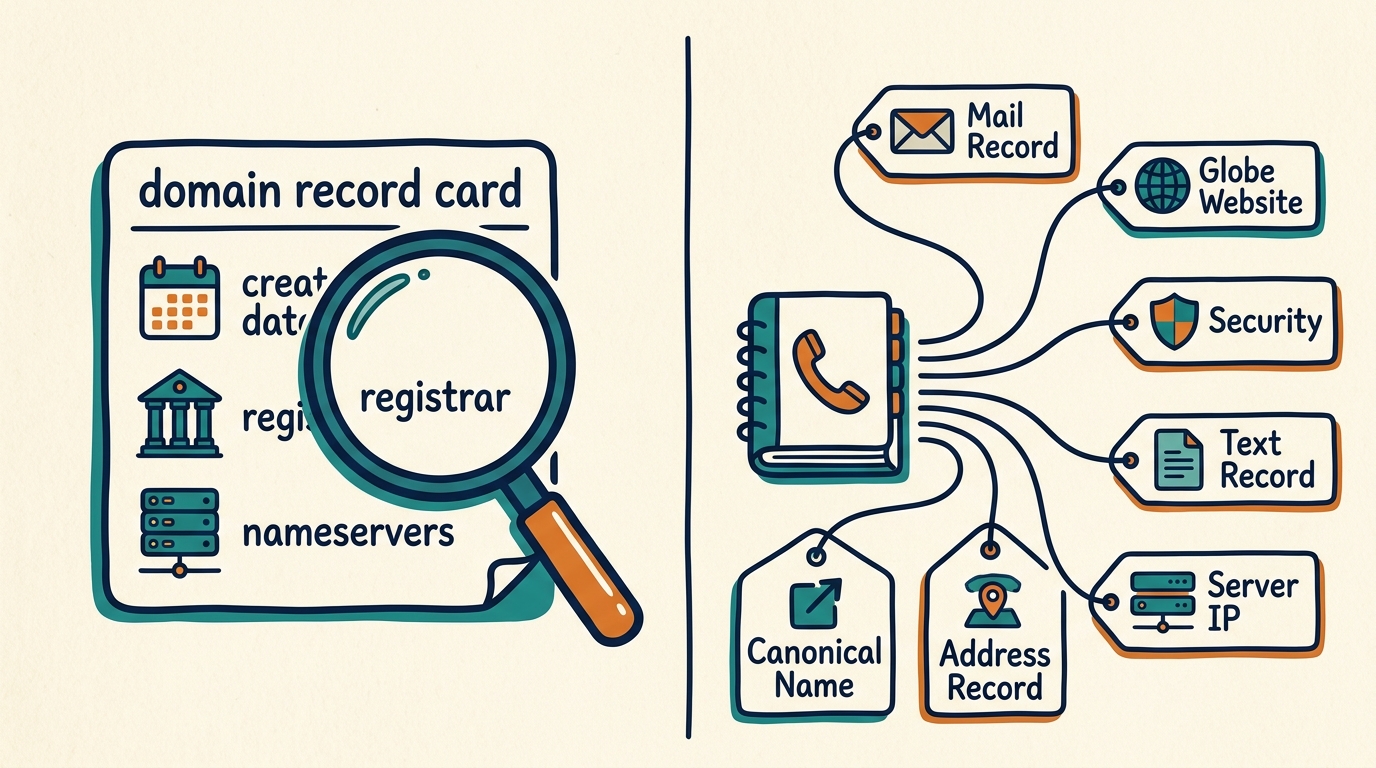
WHOIS is the registration record attached to a domain: who registered it, through which registrar, and when.
Three fields matter more than the rest.
Creation date. A domain registered three days ago and already running a "bank login" page is about as close to a guaranteed phishing tell as you'll find. Age is one of the cheapest, most reliable signals in domain triage, and it costs nothing to check first.
Registrar and nameservers. These tend to repeat across domains run by the same operator. Worth remembering, because it becomes useful later when you're trying to connect properties that don't look related on the surface.
Status codes. Flags like clientHold or pendingDelete tell you whether a domain is active, suspended, or quietly on its way out.
Privacy redaction (mostly GDPR-driven at this point) means you'll rarely see a registrant's name or email anymore. That's where historical WHOIS earns its keep, pre-redaction snapshots sometimes still have an old email address or organization name that current lookups won't show you.
Redacted WHOIS: Moving Beyond the GDPR Wall
Since the implementation of GDPR in 2018, public WHOIS records have been systematically redacted. In most domain investigations, queries for registrant contact details will return blank fields or generic privacy proxy addresses. As Chris Morris explains in the DomainIntel guide on WHOIS redaction, while this often stalls novice researchers, it is a routine baseline for experienced investigators rather than the end of the line.
For scenarios where disclosure of non-public registrant data is legally justified, ICANN provides a formal channel: the Registration Data Request Service (RDRS). This platform aggregates disclosure requests and routes them to participating registrars through a single interface. Originally established as a pilot program in November 2023, the RDRS transitioned to a permanent, ongoing service following the conclusion of its pilot phase in November 2025.
Filing a request through the service is a formal administrative process, not a quick lookup. According to the ICANN Registration Data Policy, registrars must acknowledge receipt of a standard request within two business days and provide a substantive response within 30 calendar days of that acknowledgement. Although a policy update in May 2026 introduced an urgent 24-hour response pathway for cases involving child exploitation, threats to life, or critical infrastructure protection, it requires a certified Authenticated Requestor. ICANN is currently developing the supporting authentication framework through its Law Enforcement Authentication Input Group (LEAIG), convened in June 2026 with participation from organizations including Interpol and the FBI. Until that work is complete, the urgent pathway is not yet available for general use.
Even when RDRS is available, investigators must manage expectations. The official ICANN RDRS Two-Year Pilot Summary Report shows that of the more than 3,700 requests submitted, only 26% were approved, while 55% were denied (the remaining 19% were partially approved or involved data already public). Registrars reject requests that fail to demonstrate a clear legal basis, such as trademark infringement or an active law enforcement subpoena. For general threat modeling, RDRS is rarely a viable option.
Because waiting up to 30 days for a disclosure request that has a high probability of denial is inefficient, investigators do not pause their work. As detailed in the core DomainIntel methodology, they continue with passive, correlation-based techniques. Analyzing active DNS configurations, tracking historical WHOIS archives, parsing Certificate Transparency logs, querying passive DNS databases, and correlating shared infrastructure elements regularly produce attribution far faster than waiting on administrative disclosure processes.
💡 Practical Tip
Do not treat RDRS as your default step. The high denial rate means filing a disclosure request without a concrete legal claim is almost always a waste of time. While you wait for a response, focus on infrastructure correlations. Mapping certificate reuse, historical WHOIS records, and passive DNS history is not only faster but often yields the owner's true footprint without alerting them to your investigation.
flowchart TD
    A[WHOIS Lookup]
    A --> B{Registrant Information Available?}
    B -->|Yes| C[Continue Investigation]
    B -->|No| D[WHOIS Information Redacted]
    D --> E[Consider ICANN RDRS if Disclosure is Justified]
    E --> F[Continue Passive OSINT]
    F --> G[DNS Records]
    F --> H[Certificate Transparency]
    F --> I[Historical WHOIS]
    F --> J[Passive DNS]
    F --> K[Archived Websites]
    F --> L[Infrastructure Correlation]
If RDRS is not viable or your request is denied, you must pivot to passive, correlation-based techniques. The workflow continues by looking at DNS records, historical WHOIS archives, Certificate Transparency logs, passive DNS datasets, archived web pages, and infrastructure footprints to link the domain to other assets.
Further Reading
- ICANN Registration Data Policy
- ICANN Registration Data Request Service (RDRS)
- ICANN RDRS Two-Year Pilot Summary Report
- DomainIntel
- Chris Morris – Why Is WHOIS Data Redacted?
Step 2: DNS Records: Mapping What's Actually Running
If WHOIS tells you who owns the domain, DNS tells you what it's actually doing day to day.
- A / AAAA records give you the IP address the domain resolves to. Good for spotting shared hosting, CDNs, or infrastructure reused across several domains.
- MX records show which servers handle mail. If the MX provider doesn't match the company's stated identity, that's worth a second look.
- NS records point to the authoritative nameservers, often the fastest way to tell a domain sits behind a specific managed DNS or security vendor.
- TXT records are a junk drawer that's anything but junk. Domain verification strings, SPF policy, SaaS integration tokens for things like Google Workspace or Microsoft 365, each one narrows down the vendor stack a little more.
- CAA records restrict which Certificate Authorities can issue SSL certs, which occasionally hints at internal PKI practices.
- SOA records carry zone administration metadata. Rarely exciting, but it's useful for confirming how fresh the zone actually is.
Step 3: Email Security Posture (SPF, DKIM, DMARC)
This step gets skipped constantly, but it's a quick read on how seriously an organization actually takes its own infrastructure.
SPF lists which servers are allowed to send mail for the domain. DKIM signs outgoing mail cryptographically so the receiver can tell if it was altered in transit. DMARC decides what happens when SPF or DKIM fails, none just monitors, quarantine sends it to spam, reject blocks it outright.
A domain with no DMARC record, or one that's been sitting on p=none for years, is meaningfully easier to spoof. That matters whether you're auditing your own organization or trying to gauge how convincing a phishing campaign against a target domain could be.
Step 4: Subdomain Enumeration via Certificate Transparency
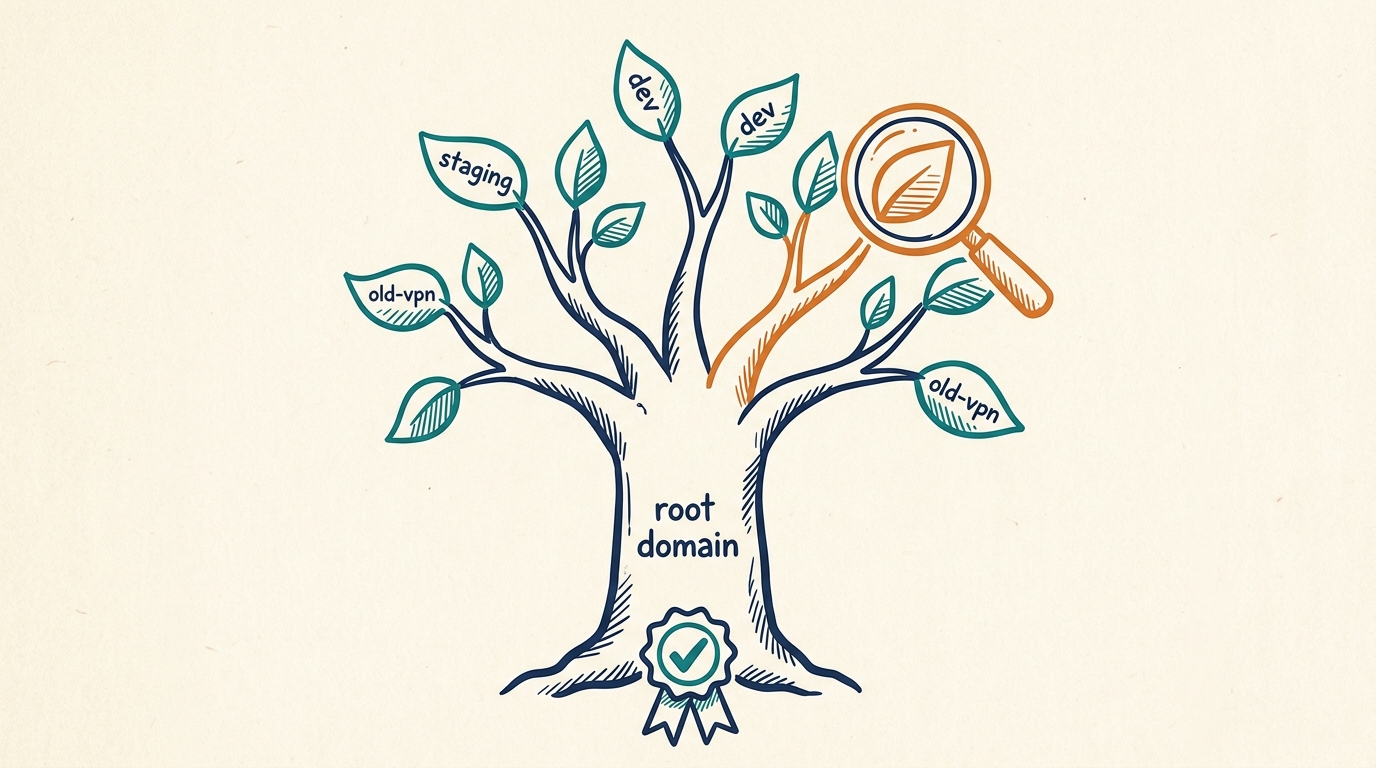
Every publicly trusted SSL certificate gets logged permanently in a Certificate Transparency (CT) log, and that log is searchable. Since most subdomains eventually pick up an SSL cert at some point, CT logs are one of the highest-yield ways to find them.
This is usually where the forgotten infrastructure shows up, staging., dev-api., oldvpn., internal-test., subdomains nobody remembered to retire, often running software that's years behind whatever hardening got applied to production. I've seen a single staging subdomain undo an otherwise solid security posture more than once.
The practical move: pull every certificate ever issued for the root domain, extract the Subject Alternative Names, and you've got a subdomain list built entirely from public records. No active scanning, no brute-forcing required.
Tools:
crt.sh
SecurityTrails
Phonebook.cz
DNSdumpster
Censys Search
RapidDNS
VirusTotal
AlienVault OTX
Step 5: Historical Reconnaissance (Wayback Machine)
Websites change constantly. What they used to say doesn't disappear, though, it just moves to an archive.
The Internet Archive's Wayback Machine stores snapshots going back decades. For an investigation, that opens up access to pages that have since been deleted (old staff directories, old pricing, old admin panels), documents that were briefly public before someone pulled them, and earlier versions of a site that reveal a rebrand, an ownership change, or a pivot nobody talks about anymore.
For threat intel work specifically, comparing a current site against its own archived history is often how a compromised or defaced page gets caught in the first place. The diff tells the story before anyone has to.
Tools:
archive.today
Step 6: Cloud Storage Exposure
Misconfigured cloud storage, an open S3 bucket, an exposed blob container, is one of the most common and most damaging exposure types out there, simply because the contents are usually internal by intent and public only by accident.
What turns up tends to be backup files, internal documents, source code dumps, configuration files with credentials sitting in plain text. The investigation step here is fairly narrow: search bucket-naming conventions tied to the organization (company name, product name, common suffixes like -backup or -prod) against public bucket indexes, then check permissions on anything that resolves.
Step 7: Tracking ID Correlation
Organizations rarely run just one property, and they rarely bother spinning up a brand-new analytics or ad account for every site they launch.
Shared identifiers like a Google Analytics ID (G-XXXXXXXXXX), an old Universal Analytics ID (UA-XXXXXX-X), or an AdSense publisher ID (ca-pub-XXXXXXXXXX) sitting in page source can link domains that otherwise look completely unrelated. This is often exactly how fraud investigators tie a network of scam sites back to one operator, or how a security team discovers an unsanctioned "shadow" property their own marketing team quietly stood up.
Step 8: Google Dorking
Search engines index a lot more than the polished, intended-for-public pages. Targeted search operators surface what got indexed but was never meant to be found:
site:example.com filetype:pdf
site:example.com intext:password
site:example.com intitle:index.of
This regularly turns up exposed backups, internal logs, misconfigured directory listings, and documents that got uploaded without anyone realizing a crawler would find them. It costs nothing and needs no tooling beyond a search bar, which is exactly why it still works in 2026.
Step 9: SSL Certificate Intelligence
Beyond just finding subdomains, certificate metadata is its own research lead. Issuer, validity window, and certificate reuse across IPs can connect infrastructure with no obvious DNS relationship, particularly useful when an organization is running services on IPs or domains that aren't formally linked anywhere public.
Step 10: Zone Transfer Testing
A DNS zone transfer (AXFR) exists to sync records between an organization's own authoritative nameservers. When a nameserver is misconfigured to allow transfers from anyone, the entire internal DNS zone, every subdomain, mail server, internal hostname on record, becomes visible in a single request.
It's an old, well-documented misconfiguration. It still shows up often enough that checking for it stays on every serious recon checklist.
Step 11: Breach Data Correlation
The last step ties the domain back to actual people. Breach databases can surface email addresses, usernames, and exposed credentials tied to accounts registered under the domain, which is useful for understanding how exposed an organization's staff already are, separate from anything wrong with the domain itself.
Have I Been Pwned is the standard, broadly trusted starting point, though it only confirms whether an account was exposed rather than handing over raw breach contents.
Putting It Together: A Sample Recon Walkthrough
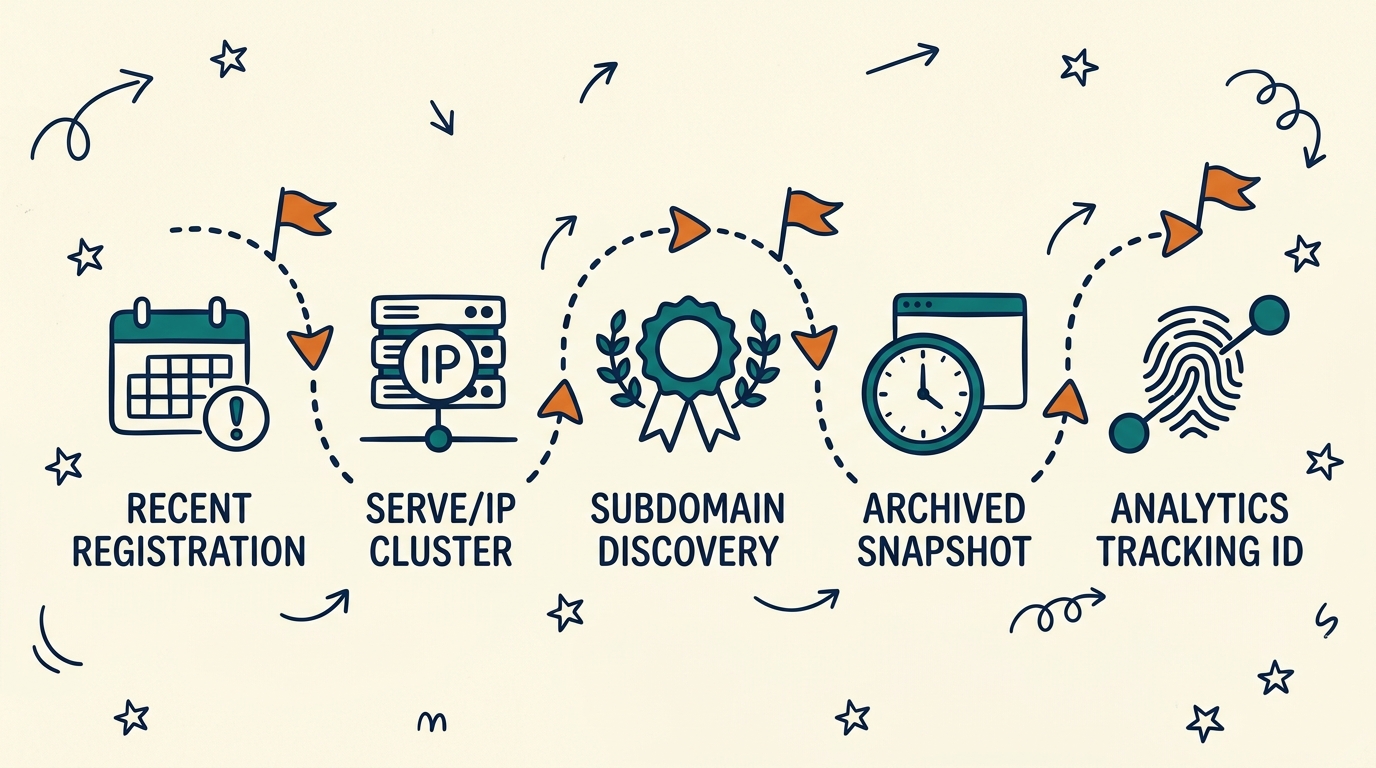
Take a hypothetical domain, shadowcorp-portal.io, that surfaced during a bug bounty scope review (similar to the Operation VIPER-GHOST case file).
WHOIS shows it was registered eleven days ago through a budget registrar, already worth flagging. DNS resolves to a shared hosting IP also serving four unrelated domains, which could be shared infrastructure or just coincidence. CT logs reveal staging.shadowcorp-portal.io and api-v1.shadowcorp-portal.io, neither linked anywhere from the main site. The Wayback Machine shows the staging subdomain had a snapshot six months back displaying an internal login page with a default Apache error visible in the background, which is a pretty strong sign it was never properly locked down. And tracking ID correlation matches the same Google Analytics ID to two other domains registered by the same operator in the same week.
None of that proves anything by itself. Stack it together, though, and it builds a defensible profile, and it tells a bug bounty hunter exactly which subdomain to start testing first.
OPSEC for the Investigator
Running these checks isn't entirely risk-free for the person doing the investigating, either. As detailed in our upcoming Operation Iron-Atlas case file, maintaining attribution security is key.
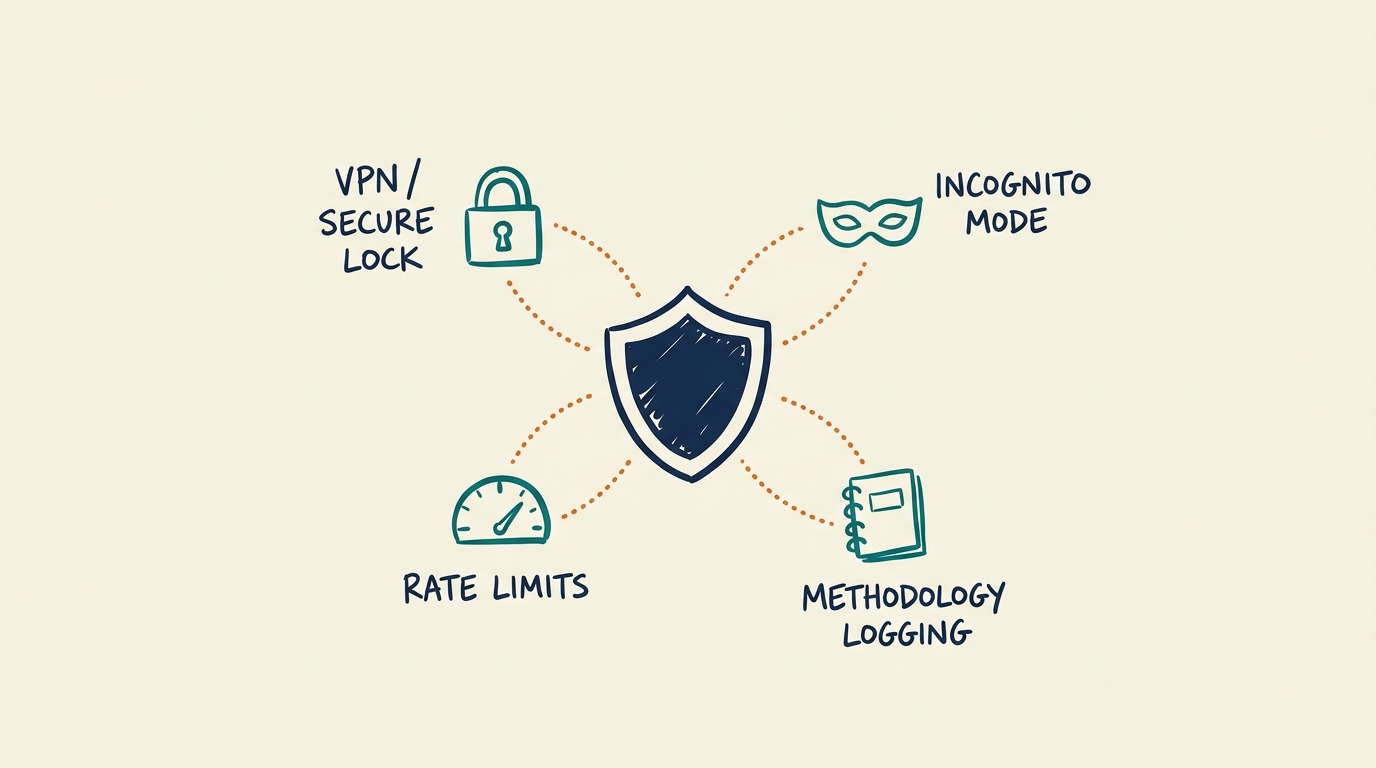
Use a dedicated lookup environment. WHOIS and DNS queries can expose your own IP to the target's infrastructure or upstream resolver logs, so route through a VPN or a sandboxed environment when the investigation is sensitive. Don't authenticate with personal accounts, use a separate, non-attributable email for anything requiring sign-up, especially breach lookup services or paid OSINT platforms. Mind rate limits and terms of service; aggressive automated queries against WHOIS servers or search engines can get an IP blocked, and in some jurisdictions can cross into territory that matters for a formal investigation. And log your methodology, not just your findings, if this work ever needs to hold up in an incident report or legal context, how each fact was obtained matters almost as much as the fact itself.
Legal and Ethical Boundaries
Everything covered here relies on publicly available information. No credential guessing, no exploitation, no accessing systems without authorization. That distinction is the entire line between OSINT and an offense, and it's worth taking seriously.
A few boundaries worth stating plainly: finding an exposed cloud bucket is legal to observe, but downloading or exfiltrating its contents without authorization is not. A successful zone transfer or an open directory listing is a misconfiguration worth reporting, not an invitation to keep exploring. If you're working under a bug bounty program, stay inside its defined scope even when recon turns up something interesting just outside it. And if you're investigating on behalf of a client or employer, get written authorization before any step that goes beyond passive lookups.
OSINT's value comes precisely from staying on the public side of that line. Cross it, even with good intentions, and it changes both your legal exposure and the credibility of anything you find.
FAQ
-
What is domain OSINT?
Building a profile of a domain, ownership, infrastructure, history, exposure, using only publicly available data.
-
What's the single most useful first step?
WHOIS, almost always. It's the fastest way to get a read on domain age and registrar, which frames how suspicious or routine everything else turns out to be.
-
How do I find subdomains without active scanning?
Certificate Transparency logs. Every issued SSL cert gets publicly logged, and most subdomains pick one up eventually.
-
Is domain investigation legal?
Yes, as long as it stays within publicly available data and passive observation. It crosses into illegal territory the moment it involves unauthorized access, credential use, or exfiltrating non-public data.
-
Why do SPF, DKIM, and DMARC matter for an investigation?
They show how exposed a domain is to email spoofing, whether you're assessing your own organization's defenses or sizing up how convincing an attack against a target domain could be.
-
What tools do professionals actually use for domain OSINT?
A mix of free, purpose-built lookups rather than one all-in-one platform: WHOIS through ICANN Lookup or DomainTools, DNS through SecurityTrails or DNSdumpster, subdomains through crt.sh or Censys, history through archive.today. The same set of tools linked throughout this guide, basically.
-
How is domain OSINT different from attack surface management (ASM)?
Domain OSINT is a manual investigation technique. ASM is the broader, often continuous practice of discovering and monitoring everything an organization exposes externally. Domain OSINT is one of the core methods ASM platforms automate at scale.